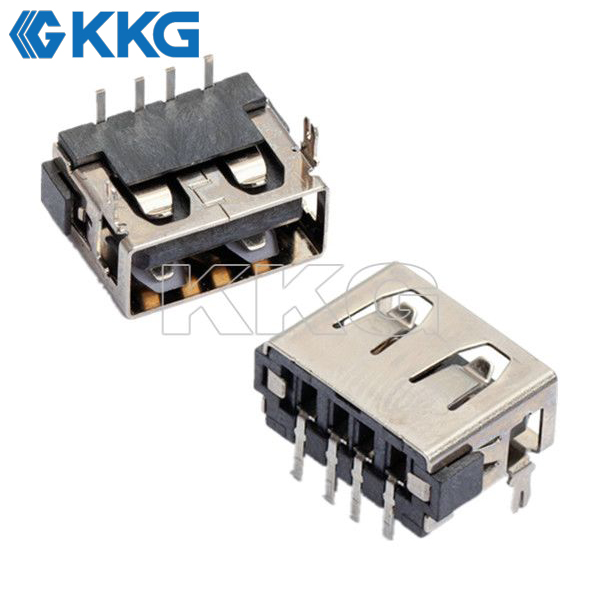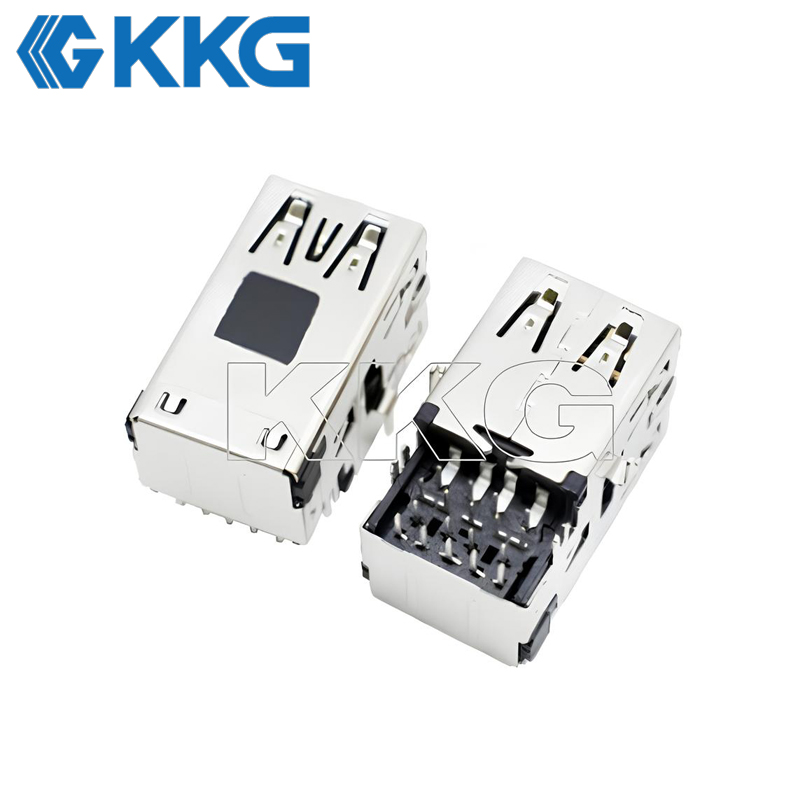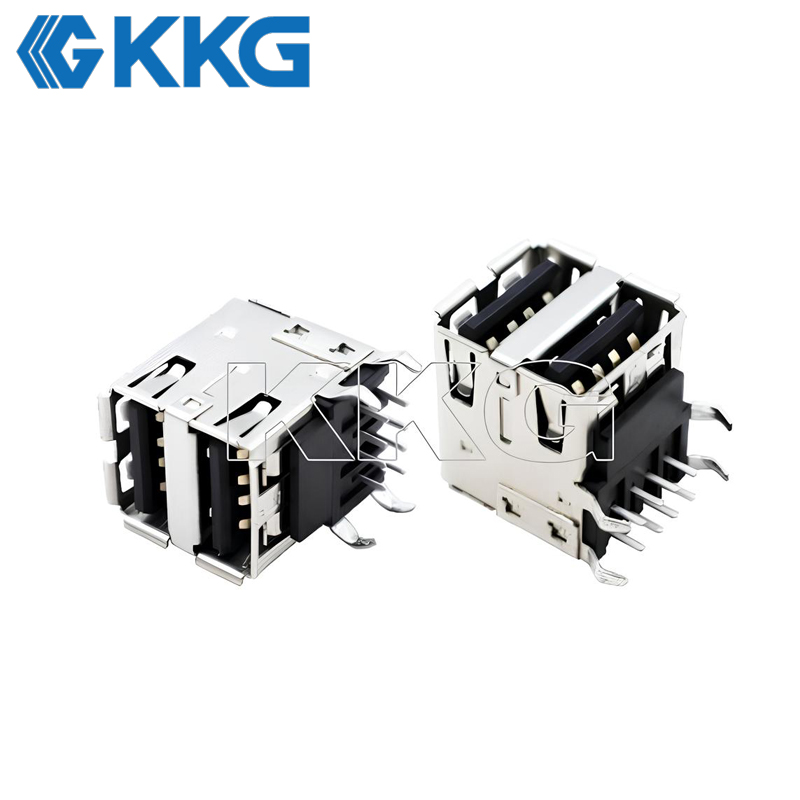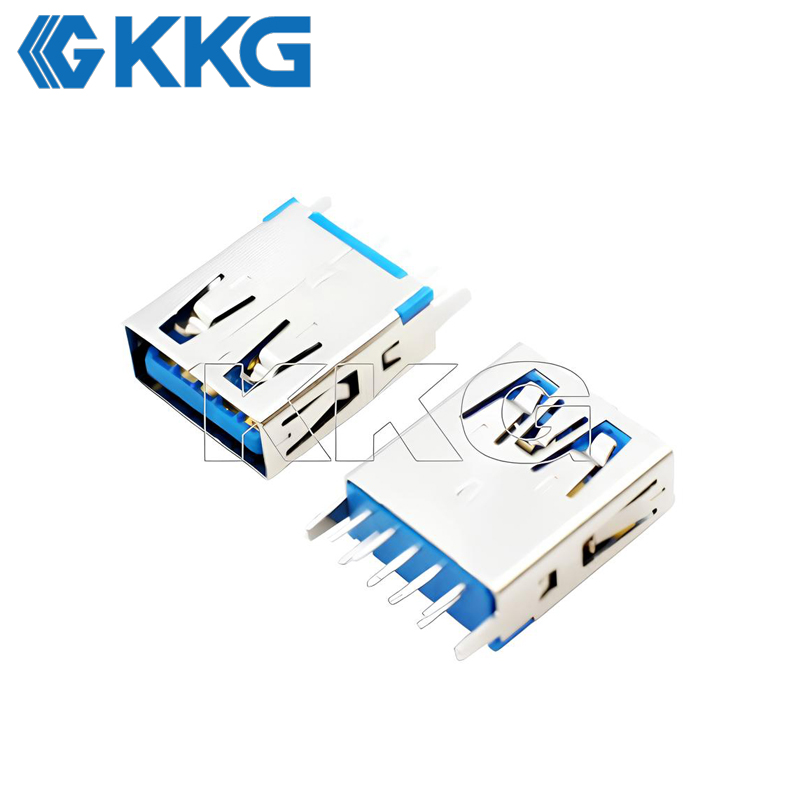
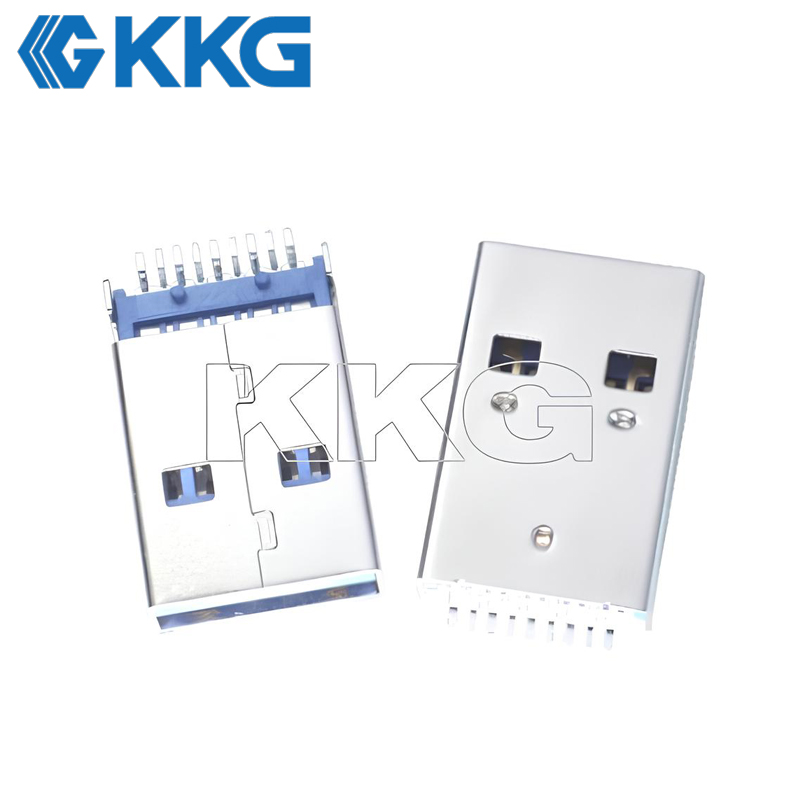
The USB 3.1 Type-A Connector is a versatile, backward-compatible USB interface that balances high-speed data transfer, reliable power delivery, and seamless integration with existing setups. Retaining the same physical form factor as USB 2.0 Type-A (with a distinctive blue Pantone 300C housing for easy identification), it ensures compatibility with legacy devices while upgrading performance via a 9-pin configuration—adding two differential SuperSpeed signal pairs and a GND_DRAIN pin to minimize interference and enhance signal integrity. Available in Gen 1 (5Gbps) and Gen 2 (10Gbps) versions, it caters to both everyday and bandwidth-intensive tasks, while its power delivery capabilities (up to 1.5A default, 100W with USB PD) support a wide range of peripherals, making it a reliable choice for consumer and professional use.
Place of Origin: Dongguan China
Brand Name: KKG
Certification: CE / SGS / ISO9001
Model Number: USB 3.0-3471
Minimum Order Quantity: 500pcs
USB 3.1 Type-A Connector is a widely used interface in USB technology, designed to meet the growing demands for high-speed data transfer and reliable power delivery.
| Characteristics | Specification |
|---|---|
| Current Rating | 1A/contact terminal |
| Voltage Rating | 30V DC |
| Contact Resistance | 30MΩ |
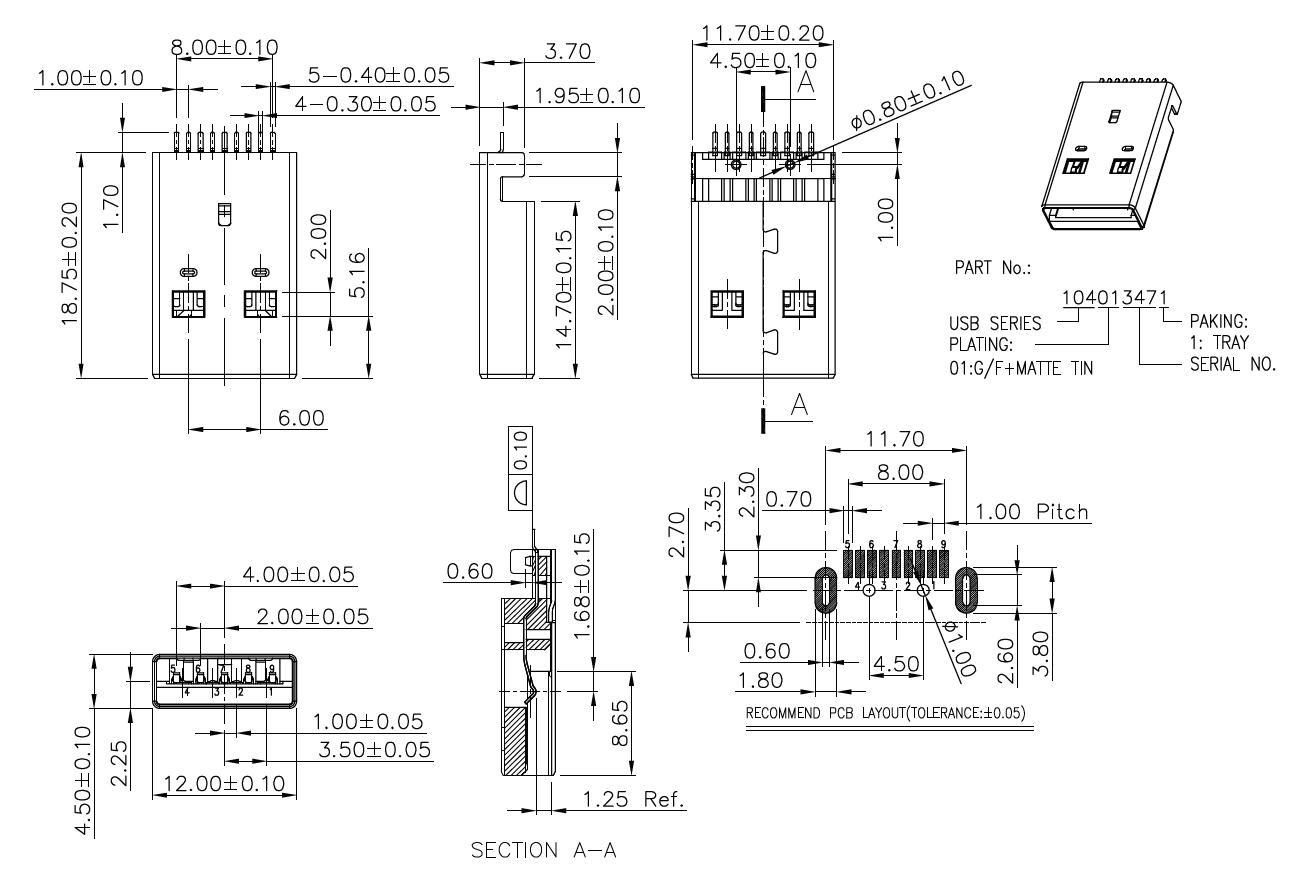
| Dimension | 11.7mm*18.75mm |
| Dielectric Withstabding Voltage | 100V DC |
| Insulation Resistance | 100MΩ min |
It maintains the same physical dimensions as the USB 2.0 Type-A connector, ensuring seamless backward compatibility with existing USB 2.0 devices, cables, and sockets. This compatibility simplifies device upgrades and transitions for both consumers and businesses, eliminating the need for costly infrastructure overhauls. To facilitate easy identification, USB 3.1 Type-A connectors typically feature a blue plastic housing (Pantone 300C) as a visual distinction from USB 2.0 counterparts.
In terms of pin configuration, the connector is equipped with 9 pins—building on the 4 essential pins (VBUS, D-, D+, GND) of USB 2.0. The additional 5 pins include two pairs of differential signal pins for SuperSpeed data transmission and a dedicated GND_DRAIN pin. The differential signal pairs enable full-duplex SuperSpeed communication, while the GND_DRAIN pin plays a critical role in minimizing electromagnetic interference (EMI), radio frequency interference (RFI), and ensuring optimal signal integrity, even during high-speed data transfer.
USB 3.1 Type-A supports two generations of performance: Gen 1 (formerly USB 3.0) delivers a maximum data transfer rate of 5Gbps, ideal for everyday tasks like transferring documents, photos, and standard-definition videos. Gen 2, however, boosts the speed to 10Gbps, catering to bandwidth-intensive applications such as 4K video streaming, large-scale file transfers (e.g., raw video footage, database backups), and high-performance external storage devices.
When it comes to power delivery, USB 3.1 Type-A Gen 1 offers a default output current of 900mA (up from USB 2.0’s 500mA) and supports up to 1.5A output, providing sufficient power for small to medium-sized peripherals. For more demanding devices, select models are compatible with the USB Power Delivery (PD) protocol, capable of delivering up to 100W of power. This makes the connector suitable for charging laptops, external monitors, and other high-power devices, consolidating data and power delivery into a single, versatile interface.
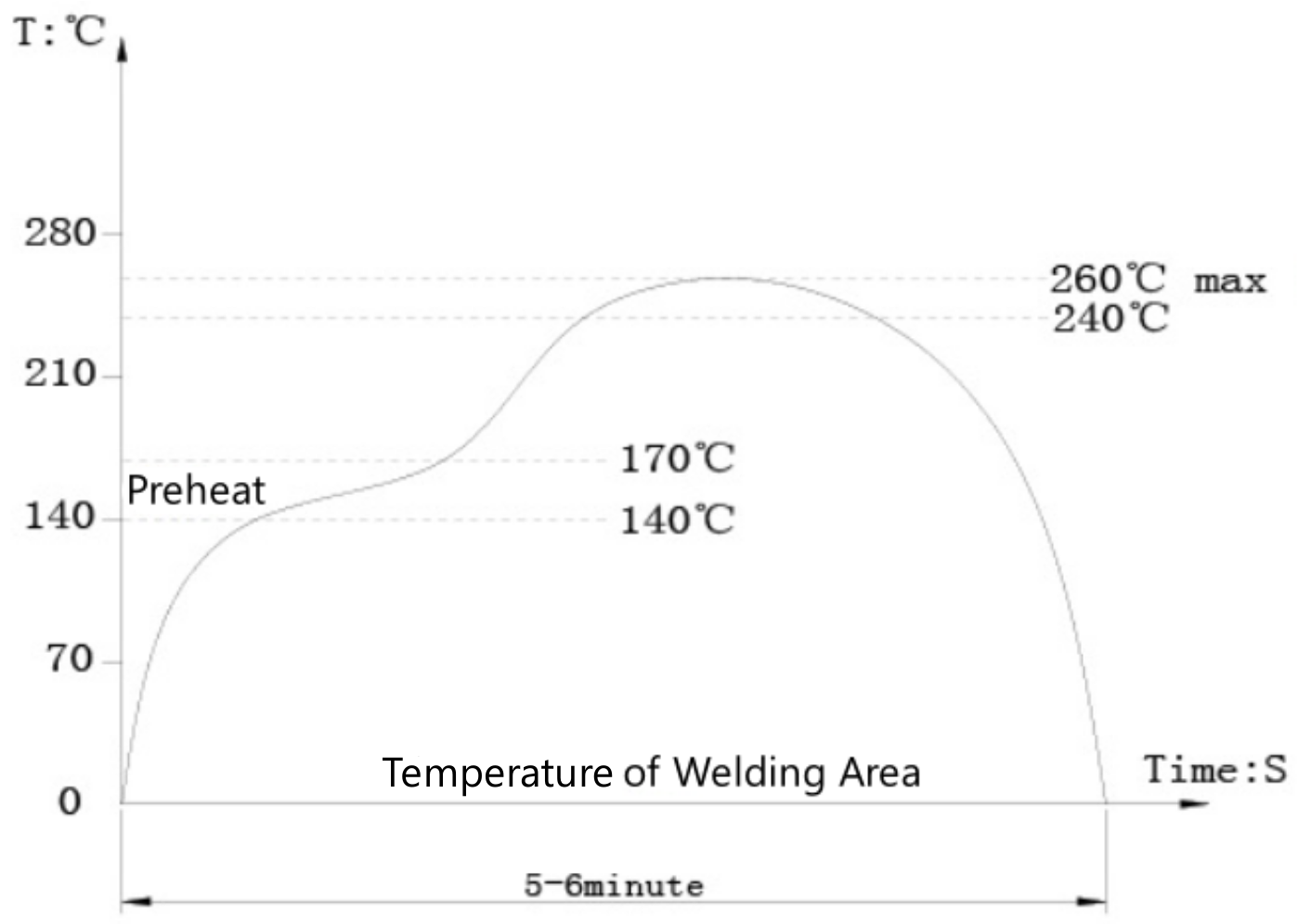
KKG Electronics, each part of the use of temperature-resistant materials, high-temperature testing equipment 260 ℃ for 5 minutes, the appearance of the product does not change!
The USB 3.1 Type-A port is the standard interface for connecting external Solid-State Drives (SSDs) and high-capacity Hard Disk Drives (HDDs). Its 10 Gbps bandwidth enables rapid file transfers, making it essential for data backup, video editing, and managing large media libraries.
This connector is ubiquitous on desktops, laptops, and workstations for linking peripherals that demand high data throughput. This includes docking stations, high-resolution webcams, and advanced input devices, ensuring a stable and fast connection for a seamless user experience.
Modern gaming consoles like the PlayStation and Xbox feature USB 3.1 Type-A ports. They are used for expanding storage with external drives for game libraries, charging controllers, and connecting VR headsets and other high-performance gaming accessories.
In home entertainment, these ports are found on smart TVs, media streamers, and soundbars. They allow users to play high-bitrate 4K video files directly from USB flash drives or external storage, offering a convenient plug-and-play multimedia solution.
The core differences lie in performance and pin configuration: USB 3.1 Type-A features a 9-pin design (vs. 4 pins for USB 2.0) to support SuperSpeed data transfer (up to 10Gbps for Gen 2), while USB 2.0 maxes out at 480Mbps. It also offers higher power delivery (up to 900mA default vs. 500mA) and uses a blue housing (Pantone 300C) for easy identification, though the physical form factor remains identical for backward compatibility.
Yes, fully. USB 3.1 Gen 1 is technically equivalent to USB 3.0 (both support 5Gbps), so USB 3.1 Type-A connectors/cables work seamlessly with USB 3.0 devices. Even USB 3.1 Gen 2 ports will auto-negotiate to 5Gbps when paired with USB 3.0 peripherals, ensuring no compatibility issues.
It depends on the generation: USB 3.1 Gen 1 (formerly USB 3.0) supports up to 5Gbps (625MB/s), ideal for everyday file transfers. USB 3.1 Gen 2 boosts speeds to 10Gbps (1.25GB/s), suitable for bandwidth-heavy tasks like 4K video editing or large database backups.
Select models yes—if they support the USB Power Delivery (PD) protocol, USB 3.1 Type-A can deliver up to 100W of power, enough to charge laptops, external monitors, or other high-power devices. Standard versions (without PD) offer up to 1.5A (7.5W), which works for smartphones, tablets, or small peripherals.
The blue housing (Pantone 300C) is a universal color code to distinguish USB 3.1 (and USB 3.0) connectors from USB 2.0’s black or white ones. This helps users quickly identify high-speed ports/cables, ensuring they get the faster transfer speeds or higher power delivery they need.
Yes, for full 10Gbps performance. While USB 3.1 Type-A cables are physically compatible with USB 2.0/3.0 ports, only cables labeled “USB 3.1 Gen 2” or “10Gbps” are wired to support the higher speed. Using a USB 2.0 or 3.0 cable with a Gen 2 device will limit speeds to 480Mbps or 5Gbps, respectively.
Previous: USB 3.0 AF 90° SMD
Next: USB 3.1 Type-A Connector
Tel:
Add:
Rixing Industrial Zone,Tangxia Town, Dongguan City, Guangdong Province, China


Copyright © 2026 KKG ELECTRONICS ELECTRIC C0., LTD. All rights reserved
Privacy policy Cookie tracking